Policy Assignments — Power BI report
Built on the read-only snapshot from the Policy Assignments script — no live tenant connection, just the sanitized CSV the collector writes to Blob.
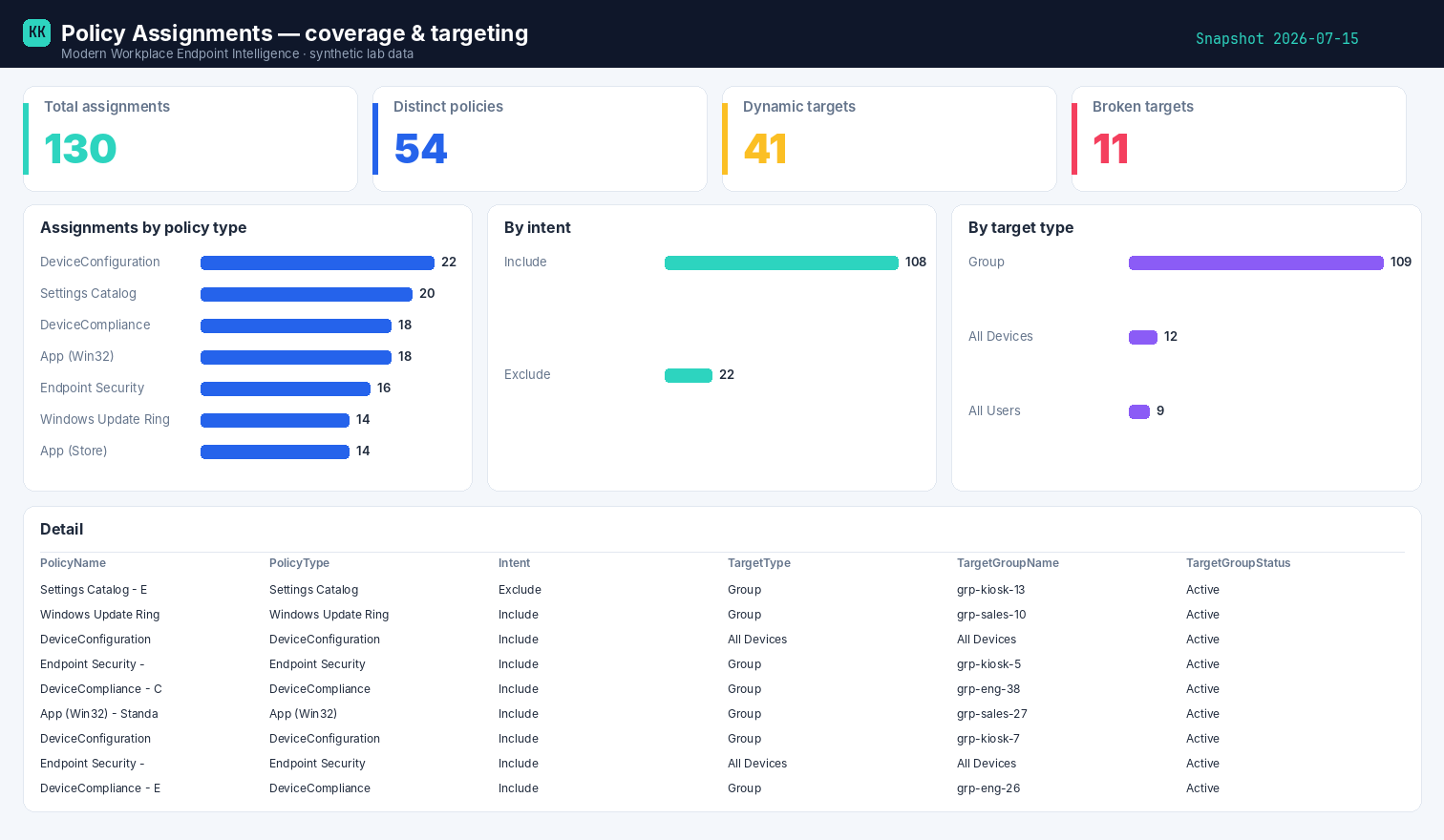
Example built on synthetic @contoso.com data.
Download the template
Policy Assignments template (.pbit)
Opens to a finished report
The .pbit carries the data model, every DAX measure, and a pre-built report page
(KPI cards, bar charts, a detail table and slicers). On open it prompts for three parameters —
StorageAccount, ContainerName, FileName — then for your storage credentials, and
loads straight from the container your collector writes to. No manual building.
The measures
Total Assignments      = COUNTROWS(Assignments)
Distinct Policies      = DISTINCTCOUNT(Assignments[PolicyName])
Dynamic-group Targets  = CALCULATE(COUNTROWS(Assignments), Assignments[IsDynamicGroup] = "true")
Broken Targets         = CALCULATE(COUNTROWS(Assignments), Assignments[TargetGroupStatus] <> "Active")
How it's wired
The collector writes the CSV to your storage account; the template reads it from Blob. Because the shaping and pre-aggregation already happened in the runbook, Power BI stays thin — connect, refresh, slice. Swap the three parameters for your own container and nothing else changes.
Related
- The script → Policy Assignments
- The story → Every policy, every target
- Part of → Zero-Access Agent