MAA now intercepts Graph API calls — and why read-only never sees it
My automation started failing on a write with a status code I did not expect: 412 Precondition
Failed. Not 403 Authorization_RequestDenied — I know that one, that's a missing scope. A 412, on a
POST to Intune, telling me a precondition hadn't been met. The precondition, it turned out, was a
second admin's approval. What had changed was Multi Admin Approval (MAA) — previously an
interactive-admin-only gate — extended to app-authenticated Graph calls. If your tenant has an MAA
access policy on a protected workload, your service principal now hits the same wall a human admin does.
The payoff
MAA changes how Intune treats writes, not how it treats reads. A governance control designed
to slow down POST / PATCH / PUT / DELETE leaves a read-only reporting layer structurally
untouched — it was never in the blast radius to begin with. That asymmetry isn't a workaround I
engineered; it's the Zero-Access Pattern holding up under a stress test I didn't build.
It's opt-in — per workload, per tenant. Nothing changes until an admin actually creates an access policy. But if you're reading this because your pipeline just started failing, someone did. Here's the whole thing: the call, the exact status codes I saw, the approval loop, and the one detail that turns this from a headache into a validation of how I build automation in the first place.
The portal action, and the call underneath it
Every click in the Intune admin center fires a Graph call. Creating a PowerShell script — Devices → Scripts and remediations → Add — fires this one (I captured it with Graph X-Ray, Merill Fernando's tool for showing the REST call a blade actually makes):
POST https://graph.microsoft.com/beta/deviceManagement/deviceManagementScripts
Content-Type: application/json
x-msft-approval-justification: dGVzdGluZyBNQUEgaW50ZXJjZXB0aW9u

{
  "displayName": "MAA-test-script",
  "description": "Zero-Access lab probe — never intended to complete",
  "scriptContent": "V3JpdGUtT3V0cHV0ICJIZWxsbyBXb3JsZCI=",
  "runAsAccount": "system",
  "fileName": "TestScript.ps1",
  "roleScopeTagIds": ["0"]
}
That x-msft-approval-justification header is Base64 — it decodes to testing MAA interception. Once an
MAA policy protects Scripts, it's required on the write. Leave it off and, in my lab, the call came back
400 Bad Request naming the missing header — "Header 'x-msft-approval-justification' is required to
request approval." A useful early signpost that MAA is in play, before you've even worked out why.
The 412 that isn't a permissions failure
With the header present and a policy active, the write came back — in my lab tenant, on the Scripts
workload over Graph beta — like this:
HTTP/1.1 412 Precondition Failed
Content-Type: application/json

{
  "error": {
    "code": "BadRequest",
    "message": "Approval Required. Request Approval using the request ID returned as part of the x-msft-approval-code response header. x-msft-approval-code: 00000000-0000-0000-0000-000000000000"
  }
}
Two things are worth pausing on. First, the status line is 412 Precondition Failed — the body's
code field reads BadRequest, but the HTTP status is what your automation branches on, and it's a 412.
(You may see this written up elsewhere as a 403; in my lab, Scripts workload on Graph beta, the status
line was a 412. It may well vary by workload, endpoint or service version, so check the actual status line
in your own tenant rather than trusting any single number — this post included.)
Second, the request queued — it didn't just die. The x-msft-approval-code GUID comes back both as a
response header and embedded in the message; that code is how you (or your automation) track the request
from here.
Permission-wise, least privilege is precise:
| Call | Permission | Version |
|---|---|---|
| Create script (the write MAA gates) | DeviceManagementScripts.ReadWrite.All |
beta |
| Read scripts (the control, below) | DeviceManagementScripts.Read.All |
beta |
| Poll approval status | DeviceManagementRBAC.Read.All |
beta |
A note on scopes: the least-privilege permission here is the granular DeviceManagementScripts.ReadWrite.All
(that's what I consented and what the write ran under). Plenty of older automation instead uses the broad
DeviceManagementConfiguration.ReadWrite.All — if yours does, moving to the granular scope is worth doing
regardless of MAA.
How it works: the approval loop
POSTwith the justification header.412 Precondition Failed+ thex-msft-approval-code.- A separate admin in the approver group approves the request (admin center or Graph).
- Resubmit the identical request, swapping the justification header for
x-msft-approval-code.
Step 3 has a genuine open question worth stopping on. Microsoft's how-to guidance indicates that
applications can't approve or reject MAA requests — yet the API reference page for the approve action
itself lists Application permissions as valid for that exact call. Those can't both be true — and it's
the kind of thing you can only settle by firing the request, not by reading whichever doc you hit first.
What I verified in the lab (and what I didn't)
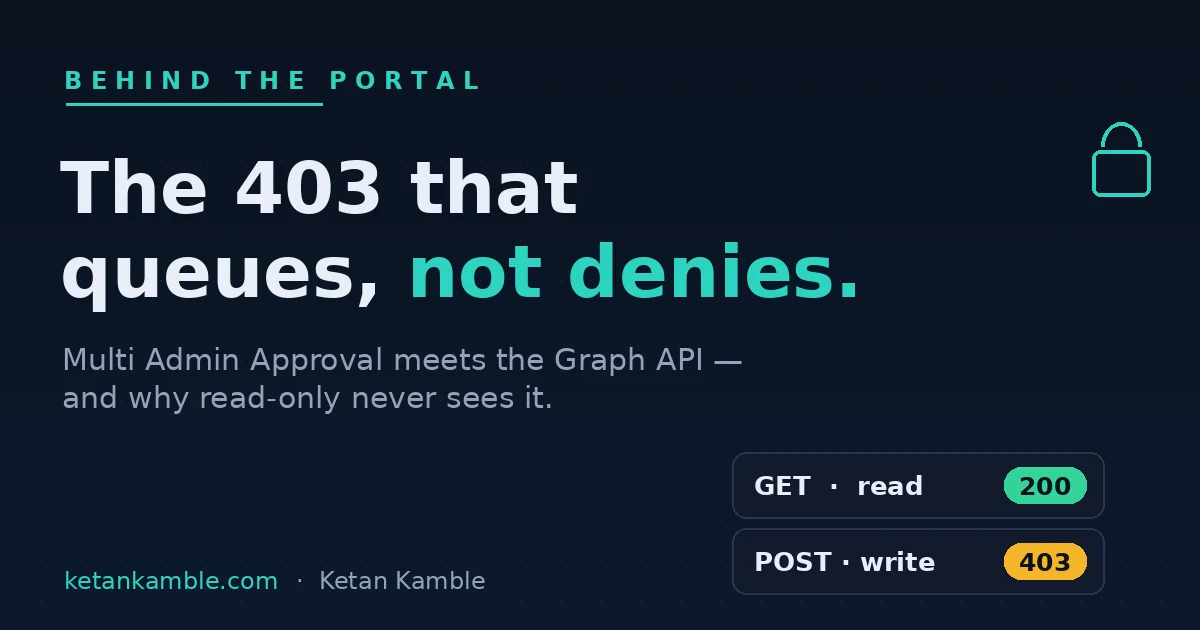
In a personal lab tenant — Scripts workload, Graph beta — the exact status lines were: a GET
returned 200 OK; a POST with no justification header returned 400 Bad Request
("Header 'x-msft-approval-justification' is required"); and a POST with the header, against an
active MAA policy, returned 412 Precondition Failed with an "Approval Required" message and the
x-msft-approval-code in the response header.
Two things I have not reproduced end to end, so I state them as neither confirmed nor denied: the
exact status of a successful resubmit after approval, and whether an app-only token can drive the
/approve action. Treat both as open until you've fired them yourself.
Why the read-only path is the actual point
Here's the part that changes how I build, not just how I debug.
MAA fires on POST / PATCH / PUT / DELETE. GET is never gated. I ran the control in Graph Explorer:
Plain 200 OK. Same resource family. No header, no interception, no queue.
That's not a footnote — that's the whole thesis of the Zero-Access Pattern, validated by the platform's own behaviour rather than by anything I'm asserting. A reporting and monitoring layer built entirely on reads was never in MAA's blast radius to begin with. A governance control designed specifically to slow down writes leaves a read-only automation structurally untouched. That isn't a workaround I engineered around the feature — it's the design holding up under a stress test I didn't build.
What breaks, and what doesn't
Every status below is the actual line I saw in my lab, except the last row (the ordinary consent failure, which is standard Graph behaviour):
| Situation | Status | What it means |
|---|---|---|
| Write, no justification header | 400 Bad Request — "header required" |
you forgot the header |
| Write with header, MAA active | 412 Precondition Failed + approval code |
queued, needs a second admin |
GET to the same resource |
200 OK |
reads are never gated |
| Missing the actual Graph scope | 403 Authorization_RequestDenied |
you never had permission |
Three different failures, three different codes — don't conflate them. 412 means "a precondition
(approval) isn't met." 403 Authorization_RequestDenied means "you never had the scope." 400 means "you
left off the header." They send you down completely different paths.
Set it up, step by step
Reproducing this in your own personal lab tenant — only step 2 and the write in step 3 change anything; the reads and the gate check are read-only.
- Give the app least-privilege script scopes. On the app registration, grant
DeviceManagementScripts.Read.All(the read control) andDeviceManagementScripts.ReadWrite.All(the write MAA gates), and admin-consent them. - Switch on an MAA access policy for Scripts. In Intune → Tenant administration → Multi Admin Approval, create an access policy over the Scripts profile type with an approver group that contains a second admin. Nothing gates until this policy exists — and nothing can be approved until the approver group is populated.
- Fire the write.
POST /beta/deviceManagement/deviceManagementScriptswith the Base64x-msft-approval-justificationheader. Expect412 Precondition Failedand anx-msft-approval-code— returned in both the response header and the message. (No header →400 Bad Request.) - Approve as a second admin. A different admin in the approver group approves the request (admin center or the
operationApprovalRequests/{id}/approveGraph action). It shows as Needs review until then. - Resubmit. Send the identical request, swapping the justification header for
x-msft-approval-code; on approval it goes through. - Confirm the read is untouched.
GETthe same resource — plain200 OK, no header, no queue.
Gotchas from the lab
- Three codes, three meanings.
412(needs approval),403 Authorization_RequestDenied(no scope),400(no header). If you branch automation on status codes, handle them separately. - Don't trust a single reported status — including mine. In my lab (Scripts,
beta) the approval-required response was a412; you may see other numbers reported. Check the status line in your tenant. - App-only
/approveis unproven here. Microsoft's docs contradict themselves on whether an application can approve; I have not reproduced app-only/approveend to end. Don't assume it works. - It's beta. These are
betaGraph endpoints — behaviour can change without notice. Verify in your own tenant before you depend on any of it.
The takeaway
Multi Admin Approval changes how Intune treats writes, not how it treats reads. In my lab tenant,
GET /beta/deviceManagement/deviceManagementScripts stayed a plain 200 OK, while a POST to the same
endpoint hit 412 Precondition Failed and queued a request. That's exactly what the Zero-Access
Pattern bets on: if you build reporting and monitoring on reads, a governance control designed to slow
down writes simply never sees you.
If you've hit this in your own tenant, I'd like to compare notes — especially whether you see the same
412, and whether an app-only token can drive /approve, because that last one the docs don't pin down
and I haven't reproduced.
FAQ
Isn't the approval-required response a 403? In my lab — Scripts workload, Graph beta — the status
line was 412 Precondition Failed, not 403. The body's error code reads BadRequest, but the HTTP
status is 412. It may vary by workload, endpoint or service version, so check your own status line. (The
403 you will see is Authorization_RequestDenied, which is a missing scope — a different thing
entirely.)
Does MAA break my read-only reporting or monitoring? No. MAA only fires on POST / PATCH / PUT / DELETE. GET is never gated — a read-only layer is untouched.
Is this on by default? No. It's opt-in, per workload, per tenant — nothing changes until an admin creates an MAA access policy on a protected resource.
Which permission does the gated write need? DeviceManagementScripts.ReadWrite.All on beta for the script create; DeviceManagementScripts.Read.All for the read control.
Can my app approve its own request? Unverified. Microsoft's how-to guide and the API reference disagree, and I haven't reproduced app-only /approve — treat it as an open question.
More in this series
- The 403 that started Zero-Access — where the read-only-by-architecture rule came from.
- The read-only AI agent that can't touch your tenant — the capstone the pattern builds toward.
References — Microsoft documentation
- Use Multi Admin Approval with the Microsoft Graph API — Microsoft Learn
- operationApprovalRequest resource type (beta) — Microsoft Graph reference
Based on a personal lab run — Scripts workload, Microsoft Graph beta — with the status lines verified in Graph Explorer on 2026-08-14. Beta endpoints can change or be removed without notice and are not for production dependence. Independent content — not affiliated with, sponsored by, or endorsed by Microsoft. Microsoft, Intune, Entra and Microsoft Graph are trademarks of the Microsoft group of companies. Verify in your own tenant.

I build read-only Intune & Entra tooling in the open and write about what the portal is actually doing underneath. Everything comes from a personal lab.