Ignite 2026 for Intune, Entra and Windows 365 admins: what's GA and what's preview
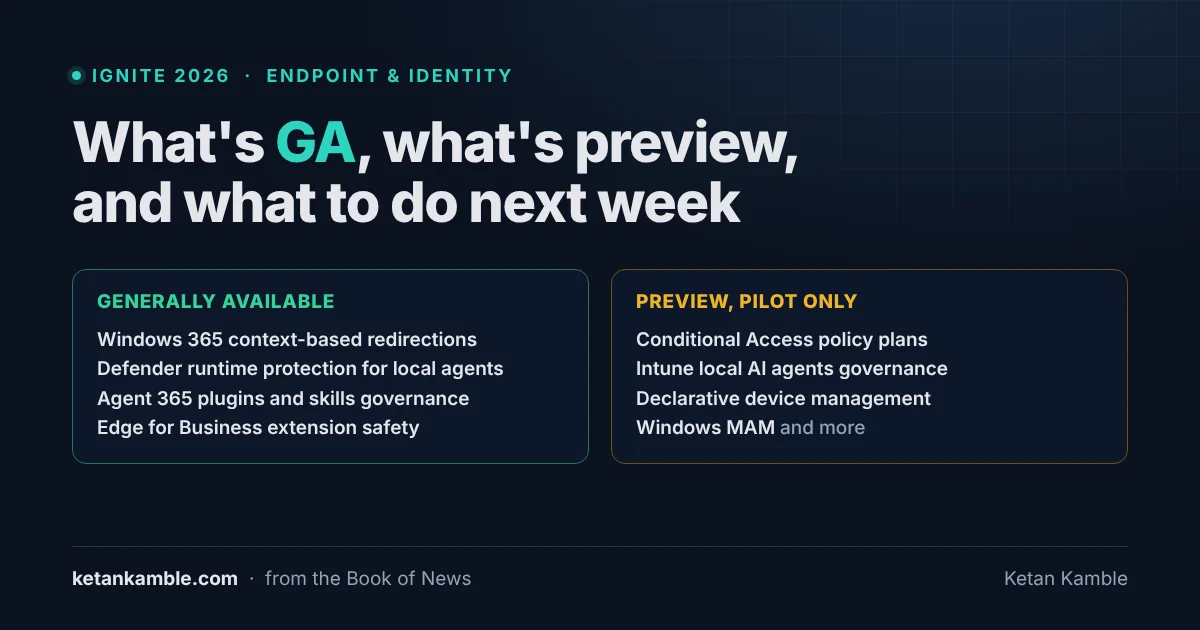
Short answer, four Ignite 2026 items for endpoint and identity admins are generally available now: Windows 365 context-based redirections, Defender runtime protection for local AI agents (with caveats I cover below), Agent 365 plugins and skills governance and Edge for Business extension safety, and they're the ones I'd look at first. The headline Intune and Entra items, like Conditional Access policy plans and local AI agents governance, are still preview. Status here is as of 20 November 2026.
Ignite ran 17 to 20 November in San Francisco and online, and there's a lot in the Book of News this year. I went through it for one thing, which of these can go to change next week and which are still preview, fine for a pilot but not something I'd put in production yet.
Generally available at Ignite 2026
All four below are marked generally available in the Book of News.
Windows 365 context-based redirections
You can now allow or restrict clipboard, drive, printer and USB redirection per connection, based on the trust level of that connection, using Microsoft Entra authentication context. The Windows 365 blog says it's generally available in Azure Virtual Desktop too.
Defender runtime protection for local AI agents on Windows
Microsoft lists agent-native protection for Claude Code, GitHub Copilot CLI, the GitHub Copilot app, Claude Desktop in Code mode and the VS Code extensions for GitHub Copilot and Claude Code. Network-based protection is listed for OpenClaw, Ollama Desktop, ChatGPT Classic and ChatGPT Desktop in Chat mode. You set it up in the Defender or Intune portal in Audit or Block mode, and the Book of News says it'll be available to Defender for Endpoint P2 customers.
Before I'd switch it on I'd check two things. Microsoft's support matrix for AI agents still labels its Windows runtime protection tables "preview", and it says an agent being supported doesn't mean protection is enabled on the device. Network inspection also doesn't cover agents that use certificate pinning or HTTP/3, so I'd start in Audit.
Local agent discovery in Defender is generally available on managed Windows and macOS devices, and it shows which agents sit on which device and user before you block anything (discovery under Windows Subsystem for Linux is still preview). If you want that list outside the Defender portal, my read-only local AI agent inventory builds one by device and user.
Agent 365 plugins and skills governance
From the Microsoft 365 admin center, admins can choose which plugins and skills are available for Microsoft 365 Copilot and Copilot Cowork and assign them to specific users and groups. Gateway support for Azure AI Gateway and LiteLLM is still preview.
Edge for Business extension safety
It gives you an organization-wide inventory of browser extensions, with risk scores at the extension and version level that Microsoft says come from Akamai and Spin.AI. Extension leak control is still preview.
Also generally available
A few more items are marked generally available. They're lower on my list, but check them if you run the product. On the Windows side there's the new Windows Endpoint Security Platform and the Windows 365 Direct Stream updates for Cloud PC users, though the GPU part of Direct Stream comes later as a preview. Cloud PCs that can run local AI models, up to 32 vCPU with GPU options, are generally available too. The Windows 365 blog adds Output Protection, with input protection still in preview, and the Windows 365 monitoring and reporting platform in Intune. For Entra there's Microsoft MCP Server for Enterprise and agentic traffic acquisition in Global Secure Access, and in Agent 365 the tools registry.
Still in preview after Ignite 2026
Microsoft marks all of these as preview, so I'd keep them to a pilot group for now.
- Conditional Access policy plans in Entra, which Microsoft says let you state your access intent once and then manage the policies at scale from there.
- Agent ID for discovered local agents in Entra, starting with GitHub Copilot CLI and Claude Code.
- Local AI agents governance in Intune. Devices with unapproved agents, found through Microsoft Agent 365 discovery, can be marked noncompliant, and Conditional Access can then block them.
- Declarative device management for Windows, in Intune.
- Mobile Application Management (MAM) for Windows in Windows App, and the Windows 365 admin assistant in the Intune admin center.
- Dynamic Agent Risk, gateway support for MCP server governance and parts of cost management, all in Agent 365.
- Managed agent browsing in Edge for Business, where each agent works with its own Microsoft Entra agent identity.
- Purview data loss prevention for Copilot and for local agents on Windows.
- Learning and permissive mode in the new Windows controls for isolating AI agents. The Book of News calls this one generally available, but it sits under a heading that says the updates are all in preview, so I'd treat it as preview until Microsoft clears that up.
There's more if you want to go further. Windows baseline protection, Enterprise App Management auto-updates for all Windows apps and Autopatch OS reliability reporting are in private preview. Privileged Identity Management, dynamic membership groups and cross-tenant configuration management in Entra are in preview, and so are the Global Secure Access controls for local agents, MCP Firewall and unsanctioned agents.
The Book of News says the Agent 365 action center is expected to enter private preview in December, and the Agent 365 blog says it will be in preview in December.
What to do next week
- Pick one GA item and take it through your normal change process, with a pilot group and a way to roll it back.
- For the previews you care about, write a pilot list with an owner and a review date for each.
- Tell security and the service desk which items are GA and which are still preview, so nobody starts planning around something that isn't released.
- Check licences before you pilot anything. The Book of News ties Defender runtime protection to Defender for Endpoint P2 and says enterprise-grade management, security and governance of agents needs an Agent 365 licence, and the Agent 365 blog says the premium capabilities need an Agent 365 or ME7 licence. Agent 365 management insights for Microsoft agents are now on by default too. Viva Insights drops the Agent 365 licence requirement for agent insights but still needs at least 50 assigned Copilot licences, so check whether your tenant meets that threshold.
Questions people ask
What did Ignite 2026 make generally available for endpoint and identity admins? Windows 365 context-based redirections, Defender runtime protection for local AI agents on Windows, Agent 365 plugins and skills governance, and Edge for Business extension safety, per the Book of News. Local agent discovery in Defender and the Windows Endpoint Security Platform are generally available too.
Is Intune local AI agents governance generally available? No, it's preview. Devices with unapproved agents can be marked noncompliant, and Conditional Access can then block them.
What do I need for Defender runtime protection for local AI agents? The Book of News says it'll be available to Defender for Endpoint P2 customers. You set it up in the Defender or Intune portal in Audit or Block mode, and Microsoft's support matrix lists which agents are covered.
Sources
- Microsoft Ignite 2026 Book of News, 17 to 20 November 2026
- Windows 365 at Ignite 2026: Introducing new Cloud PC capabilities for people, agents and IT, Windows IT Pro Blog
- What's new in Microsoft Agent 365: Ignite 2026, Agent 365 Blog
- Ignite 2026: What's new in Microsoft Defender & Sentinel, Microsoft Defender Blog
- Microsoft Defender for Endpoint AI agent support matrix, Microsoft Learn
Personal roundup. Product status is as Microsoft published it at Ignite 2026 and can change, so check the sources before you plan around it. Independent content, not affiliated with, sponsored by, or endorsed by Microsoft or any vendor named here. Microsoft, Intune, Entra, Windows 365, Defender and Agent 365 are trademarks of the Microsoft group of companies. Other product names belong to their owners and appear only because Microsoft named them.

I build read-only Intune & Entra tooling in the open and write about what the portal is actually doing underneath. Everything comes from a personal lab.